The house, this second.
The total in large figures, then each running appliance. Estimates are pale and marked, and "Not identified" is always the last line.
The phone app
No address to type and no account to create. Open the app on the same Wi-Fi as the hub and it looks for it by itself. The hub then asks, on its own screen, whether this phone may connect.
Android app in development. An iPhone app is not built yet.
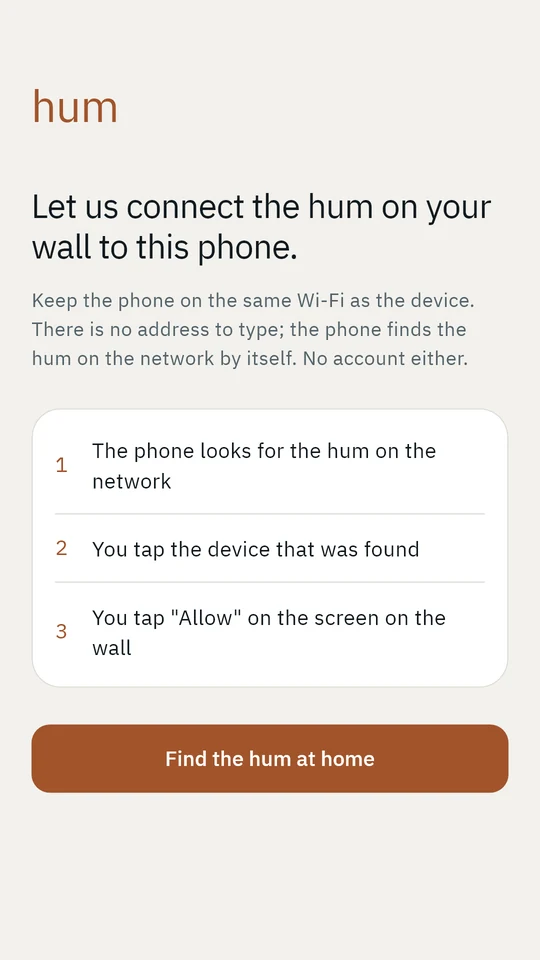
Finding it
The phone works out which home network it is on and asks every address on it once whether it is a hum. Other devices ignore the question. The hub answers with its name and nothing more, and that question does not unlock anything else.
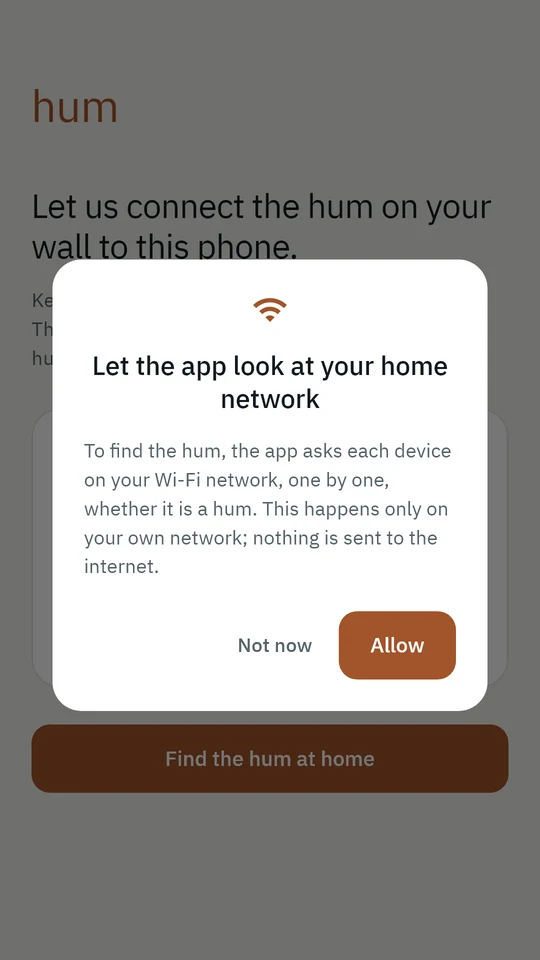
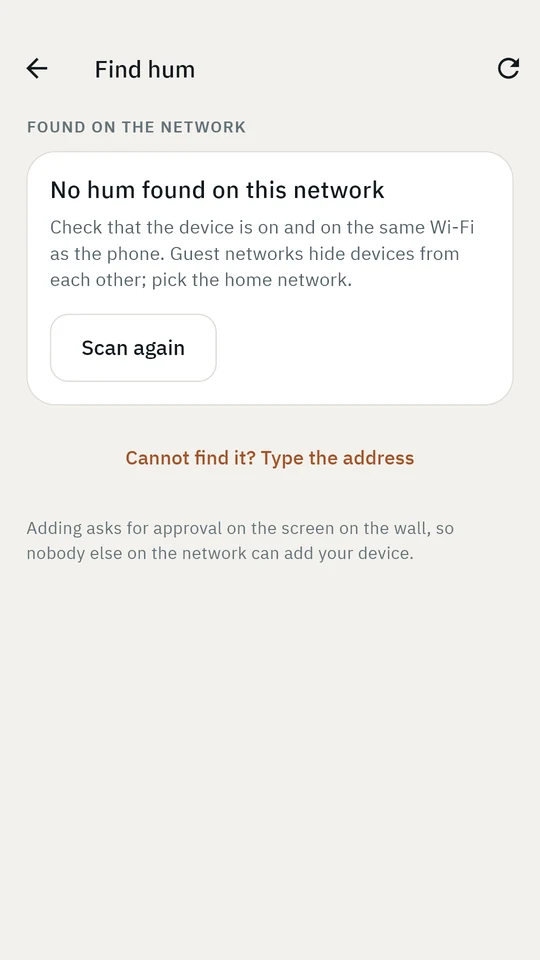
It only ever scans private home-network addresses, never your mobile data connection. If a router hides devices from each other, there is a small "type the address" option as a last resort.
Approval on the wall
A guest or a neighbour on a shared building network should not be able to see when you are home. So the hub decides, and it shows you who is asking.
Once connected
The app uses the hub's own colours, type and words, so what you read on the phone means exactly what it means on the wall.
The total in large figures, then each running appliance. Estimates are pale and marked, and "Not identified" is always the last line.
Energy per hour, a 24-hour chart that leaves empty hours empty, and whether each hour was signed.
Lines waiting for a name, and the ones you already named. Tap one and give it a name; the hub remembers.
If the router gives the hub a different address, the app finds it again by its identity and carries on. You do not pair again.
The connected screens are not pictured here yet: the development hub has no sensor attached, and we do not publish screenshots with made-up readings.
No account to create.
No address to type.